Plan the whole block
Set your days and exercises once. The engine lays out a multi-week block with a target on every set from day one.
MesoFoundry Strength plans a mesocycle, ramps the intensity week over week, and hands you the exact weight and reps for every set — then adjusts from what you actually lifted.
Most training apps are a nicer spreadsheet — a record of what already happened. The hard part isn't remembering last week. It's deciding this one.
A tracker remembers what you lifted. It never decides what you lift next.
You get an empty field and guess the weight, so every session drifts a little.
Volume creeps and intensity slips, and you find out you overreached a week late.
Every mesocycle runs the same arc: intensity climbs for weeks as reps in reserve fall toward zero, then a deload cools things down before the next block. The engine draws that arc and holds you to it — it's the heart of Premium.
Set your days and exercises once. The engine lays out a multi-week block with a target on every set from day one.
Reps in reserve step down week by week — from comfortable to near-failure — so each session asks for a little more than the last.
What you actually lifted decides the next prescription. Beat the target and it rises; miss it and it holds.
When fatigue outpaces the gains, the block schedules a lighter week so the next one starts fresh, not fried.
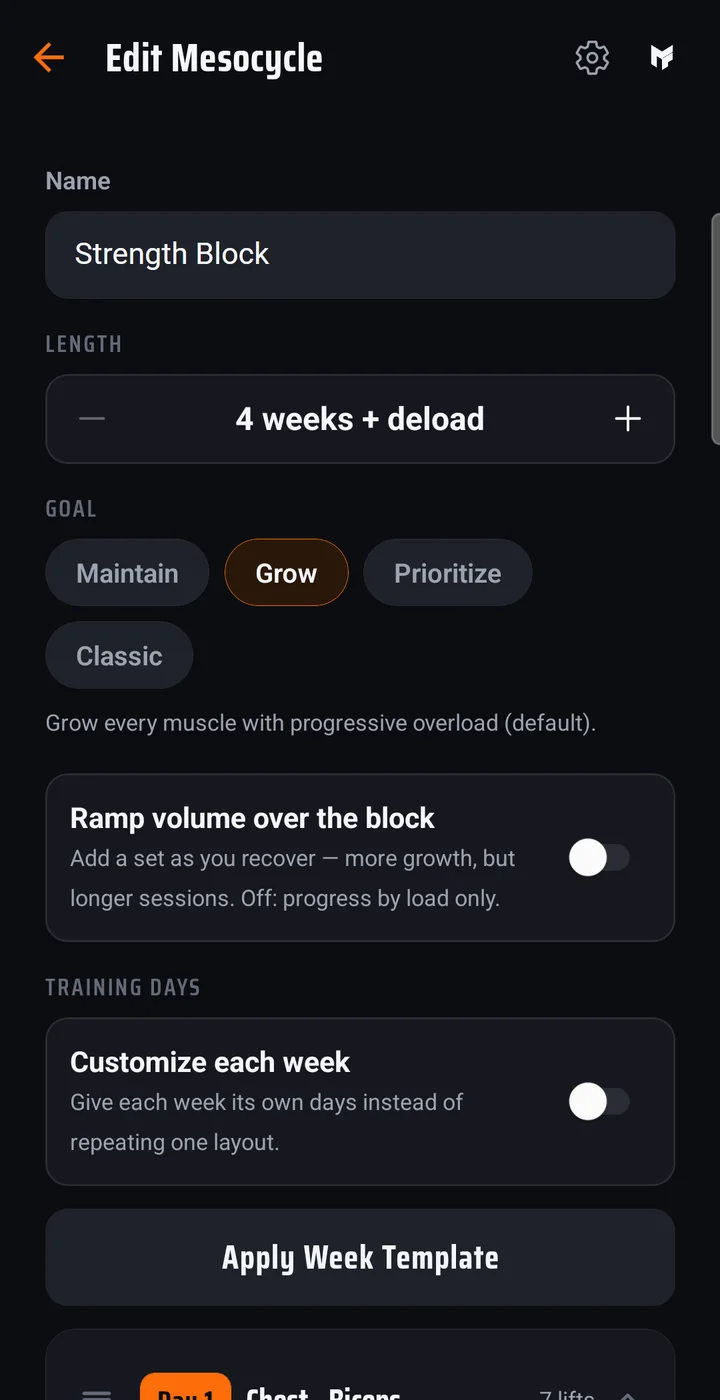
Say how the block should run — hold, grow, prioritise one muscle, train classic pyramids, or go HIT with one all-out top set per lift — then pick your days and exercises. The builder writes the sets, reps, and the week-by-week ramp.
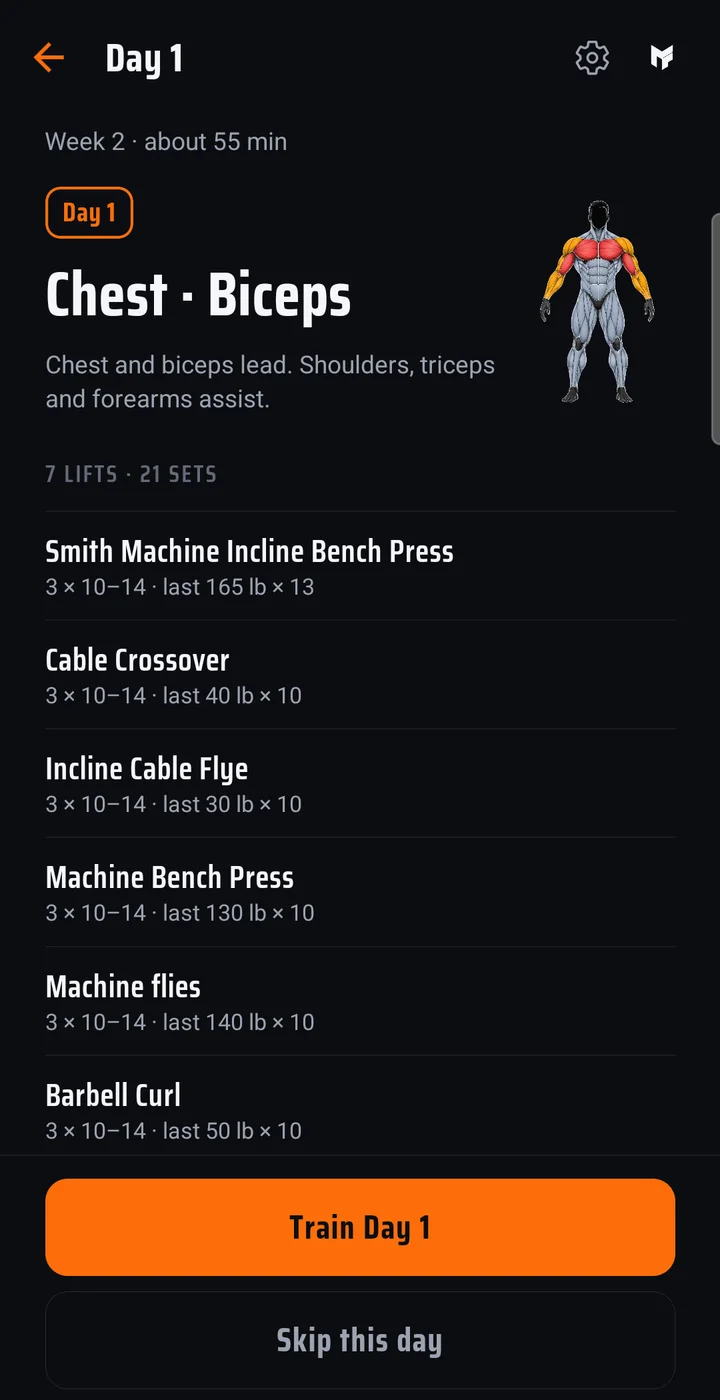
Every day opens with the muscles it hits and what you lifted last time. Log each set in a tap and the next one is waiting — on Premium, with the weight, reps, and RIR already prescribed.
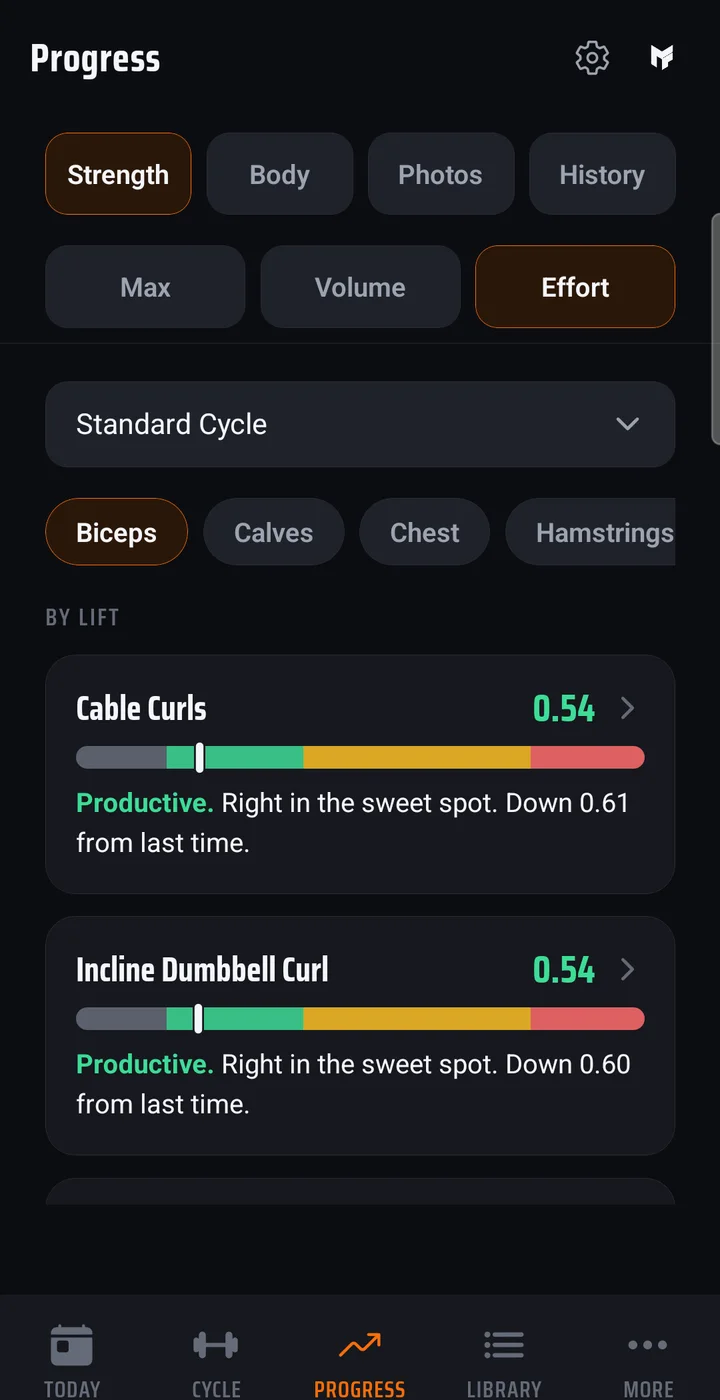
Estimated 1RM, INOL, and tonnage tell you whether a week was productive overload or too much — before it costs you a block. A Premium feature.
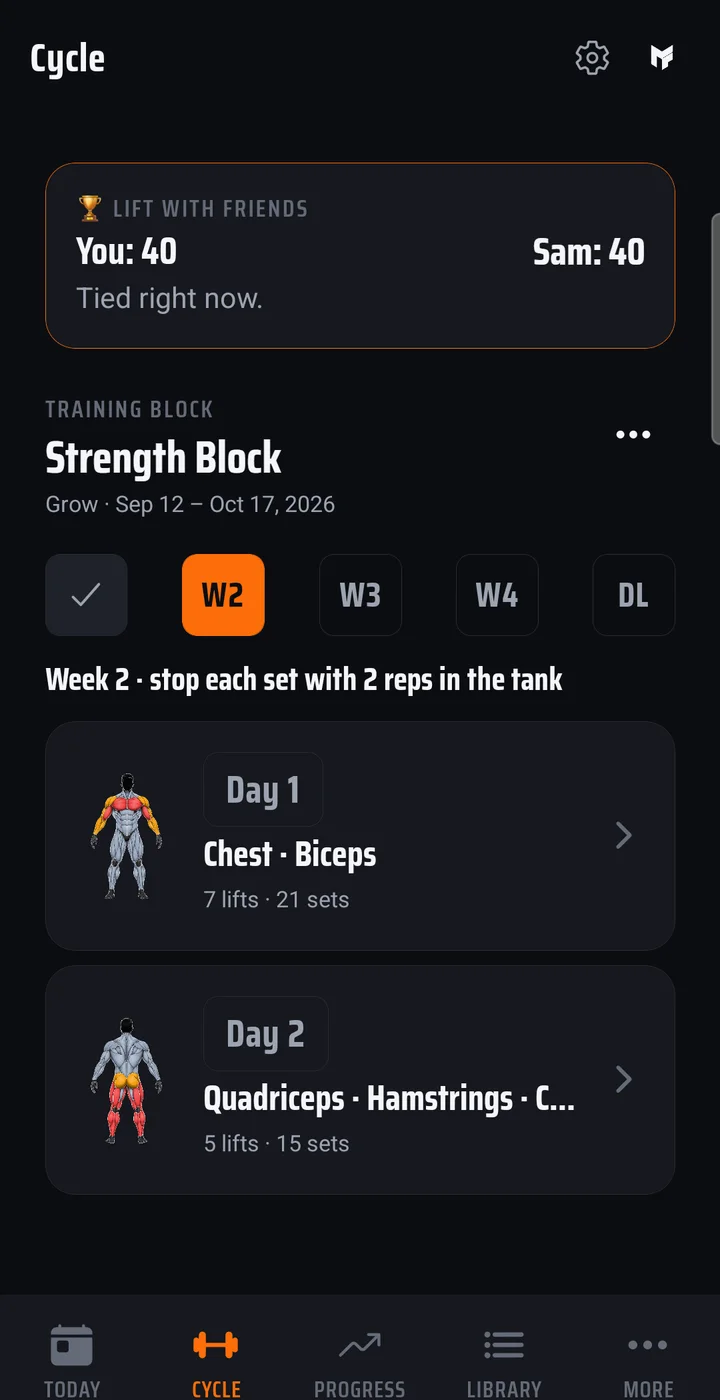
Every week of the block laid out at once — what is done, what is next, and where the deload falls. Open the app and the next session is already waiting.
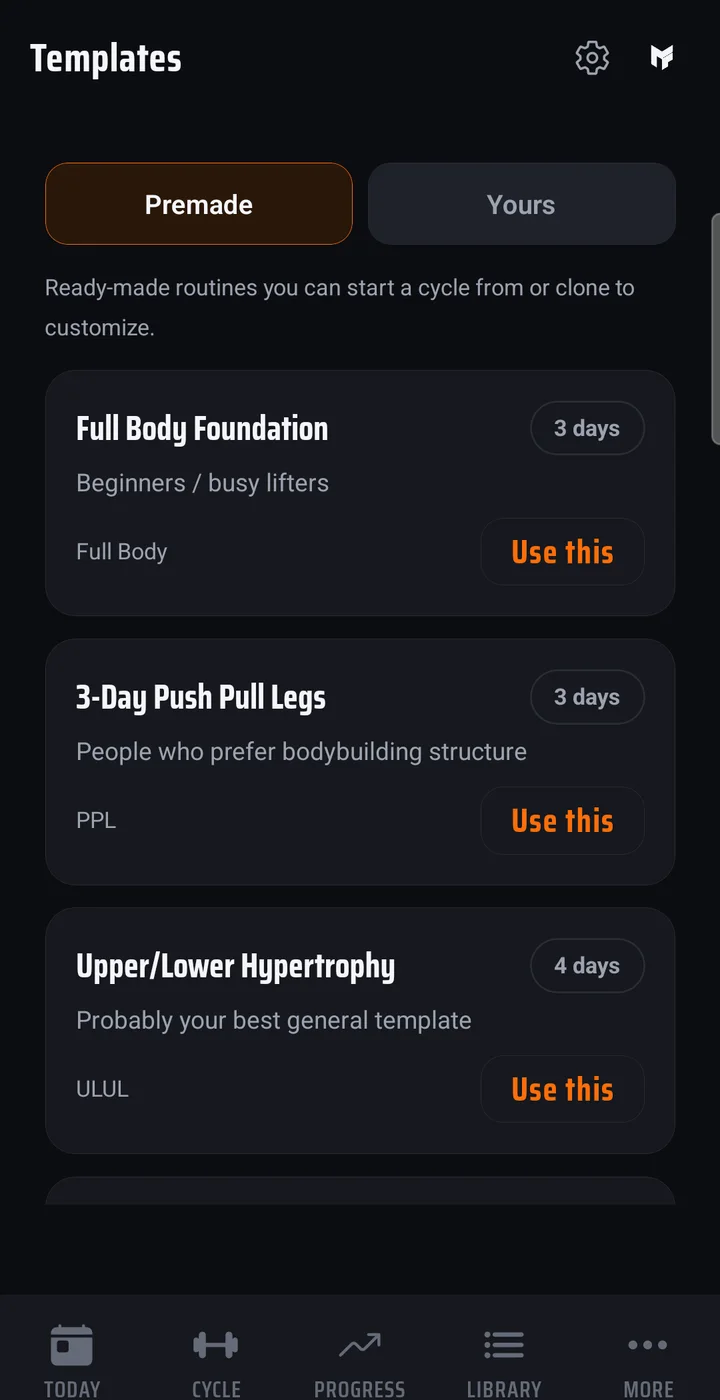
Full body, push pull legs, upper lower and more, each in a beginner, intermediate, and advanced version, plus a 4-day HIT split. Start one as your block, or clone it and make it yours.
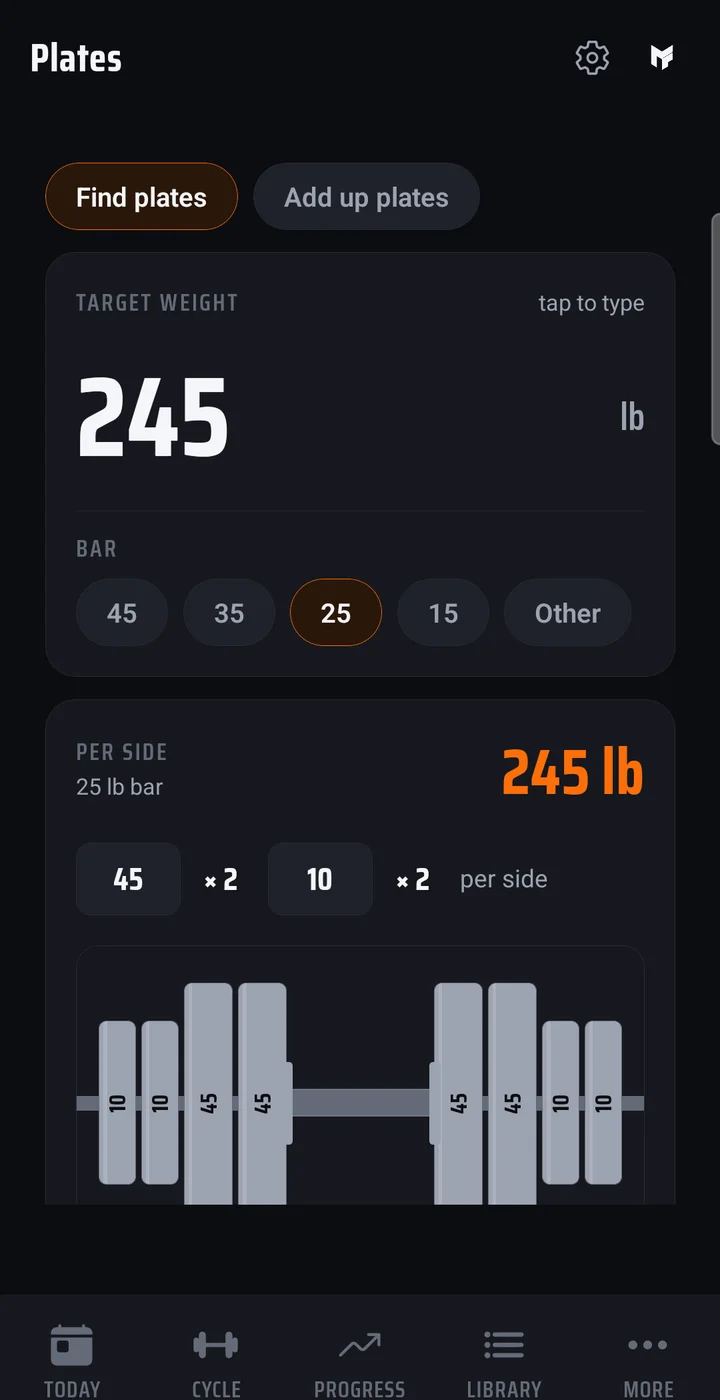
Type a target weight and see exactly what goes on each side, using only the plates your gym has. Or add up the plates already on the bar.
Front and side photos at the start, three months, six months, then yearly. The pictures stay on your phone — only the check-in dates are kept, so the app can remind you when a check-in is due.
Invite a friend to run the same block and compete. Each of you earns daily points from your own logged sets, and only the points are shared, never your log. A Premium feature.
Log your weight and watch the trend, and get a maintenance-calorie estimate with a target for your goal.
Over 860 exercises with a muscle map for each, plus your own custom lifts.
Free keeps the builder, manual logging, and your full history for good. Try Premium free for 14 days in the app, then $9.99/month or $59.99/year.
See what's in each planNo. Choose your days and exercises and the builder lays out the block — the days, the sets, the rep targets. On Premium, the progression engine also sets the weights, ramps the intensity week over week, and schedules the deloads, adjusting from what you actually lift. Either way, every choice it makes is yours to change.
Yes. Everything logs on your phone offline. On Premium it syncs to your other devices when you are back online; on Free it stays on the one device.
New accounts start on Free. Start the 14-day Premium trial in the app; it runs through the App Store or Google Play, which asks for a payment method, and then continues at $9.99/month or $59.99/year unless you turn it off in your store account before it ends. On Free you keep the builder, manual logging, your full history, and custom exercises.
Yes, on any plan. Add lifts the app has never heard of alongside the more than 860 in the built-in library, and they slot into your blocks like any other exercise. Custom exercises are unlimited on Free.
Yes. Settings → Your data exports your full history as a spreadsheet, any time, on any plan.
Plan the block, log against it, and let last week decide this week's weight.